Most standard operating procedures live in a doc nobody updates, with screenshots from two redesigns ago. New hires work around them by asking the person next to them, which is fine until that person is busy or on another continent. This playbook turns your processes into short walkthroughs with written guides, collects them in one searchable place, and sets up a routine that keeps them accurate.
1. List the processes, then pick the first ten
Ask the last few people you hired what they had to ask about in their first month. Their answers are a better list than your org chart. You’re looking for tasks done in a web app:
- Updating a deal stage and logging a call in the CRM
- Issuing a partial refund in the billing tool
- Handing a ticket to the next tier in the help desk
- Submitting an expense report
- Changing a customer’s plan in your admin panel
Pick the ten that come up most and record those first. AtriumKit records web apps in Chrome, so processes in desktop apps stay as written docs.
2. Set up the workspace for a team
- Roles. People who record and edit are Editors and use a creator seat. Everyone else is a Viewer: they can watch demos, search the knowledge base and see analytics, and viewer seats are free. Go to Team → Invite member and choose the role.
- Folders. Create a folder per team or function (“Finance”, “Support”, “Sales ops”) in the library sidebar, so editors can find what to update.
- Owners. Give every process an owner: the person who does it most. They record it and keep it current.
3. Record each process as a guided demo
One process per demo, recorded by the person who does it.
- In the extension, choose Guided. Leave Auto-blur emails and names on.
- Start where a new hire would start, not halfway through.
- Click through at a normal pace, and use Blur area for anything sensitive the auto-blur doesn’t catch: account numbers, internal notes, a customer’s address.
- If the process forks (“Is the customer on an annual plan?”), add a Choice card later so each answer gets its own steps.
Redaction happens in your browser before anything is uploaded, and passwords, card numbers and one-time codes you type aren’t captured. For tools your team builds, add a data-atriumkit-blur attribute to any element that should always be blurred.
Name each demo the way someone would search for it: “Issue a partial refund”, not “Refunds v2”.
4. Write it as instructions
Open Brand kits, pick a kit and go to the Knowledge tab. This is the context AI uses for everything it writes.
- Under Voice → Guides, describe how instructions should read: “Imperative and exact. Name buttons as they appear. One action per step.”
- Add your internal terms and acronyms to the glossary with a definition each. New hires will search for them.
- Learned from your demos suggests terms that show up across your recordings. Add all, then edit.
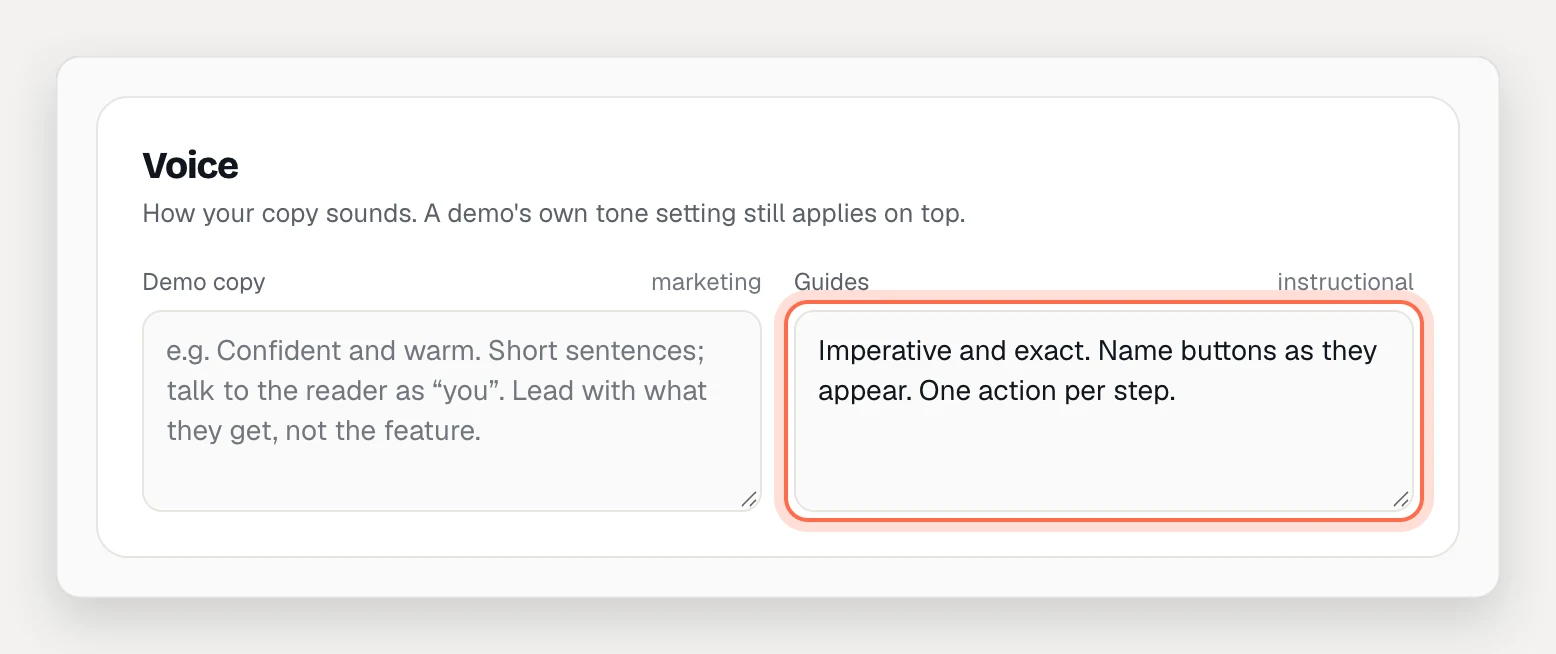
Then open each demo’s Guide tab and click Write guide copy. Each step becomes an instruction (“Click Refund”) with a line on what happens. Edit anything that needs judgment: the guide is where you put “check the invoice date first”.
Access. The knowledge base is for workspace members only. A demo’s own hosted link and guide page follow its Who can view setting, so set internal demos to Unlisted: only people with the link can open them, and search engines are asked not to index them. Treat an unlisted link like a link to a shared doc.
5. Open the knowledge base
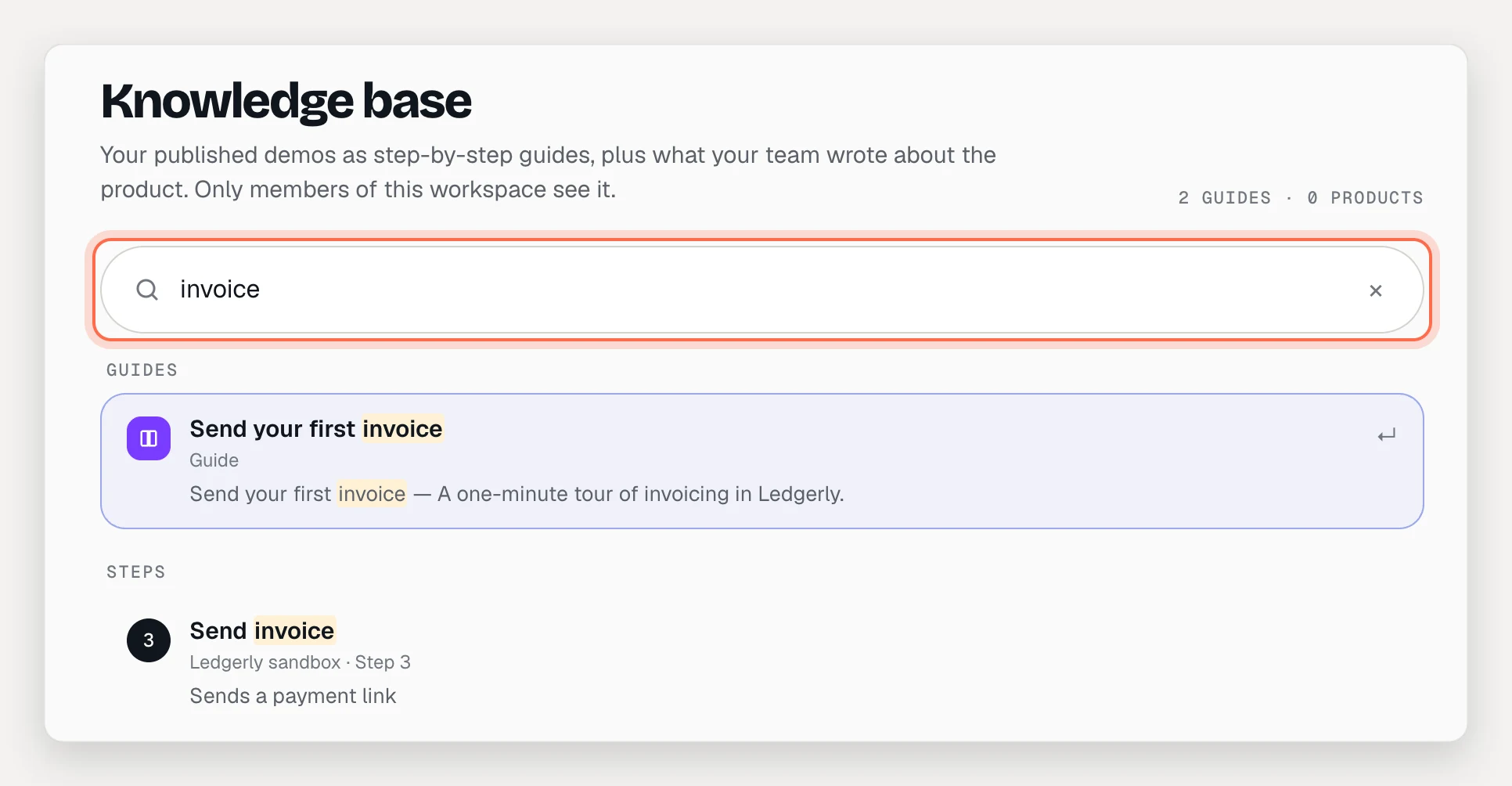
Publish each demo, then click Knowledge base in the sidebar. Every published demo is there as a step-by-step article with pictures, in every language you’ve translated it into, next to your products’ summaries, glossaries and files.
- One search field covers guides, steps, glossary terms and files.
- Play from this step opens the walkthrough at the step you found.
- Hide from knowledge base keeps marketing demos out of an internal library.
Add the documents new hires need next to the walkthroughs. In the knowledge kit’s Files, upload handbooks, policy PDFs, slide decks and price sheets (PDF, Word, PowerPoint, Excel, CSV, Markdown or text). They become searchable passages, and AI writing uses them too.
The internal knowledge base is on Pro and Team. Knowledge files: 25 files (100 MB) on Pro, 200 files (1 GB) on Team.
6. Train live in the first week
On Team, use presenter mode for onboarding sessions. Present the demo with guides showing, keep your trainer notes in Presenter notes on each step, and use Open speaker view to see them on a second screen. Jump to the step someone asks about with G. New hires can replay the same demo afterwards from the knowledge base.
7. Let new hires ask their AI assistant
AtriumKit runs an MCP server that Claude, ChatGPT (in developer mode) and Cursor can connect to. In Settings, open AI assistants & MCP for the steps.
Once connected, a new hire can ask “How do I issue a partial refund?” and the assistant searches your knowledge base (search_knowledge) and answers from your guide. It works with the person’s own role, so a viewer’s assistant can read but can’t change anything.
Connecting an assistant works on every plan. Searching the knowledge base over MCP is on Pro and Team.
8. Keep it current
SOPs go stale because updating them is a chore. Make each update small:
- A label changed. Edit the text on the captured page, or use Find & replace… to change it on every HTML screen of the demo.
- A button moved. The captured screen still shows the old layout, so record that task again. If something went away, Hide it on HTML screens.
- The process changed. The owner records it again as a new demo and publishes it. Then unpublish the old one, or use Hide from knowledge base, so search returns one answer.
- Publishing updates everything. When you publish a change, the demo’s guide, its knowledge base article and every link to it show the new version.
- History keeps every published version, if you need to see what the process used to be.
Put a review on the calendar each quarter. Each owner opens their demos, clicks through, and fixes what’s changed.
What to measure
- Guide readers and Unique readers for each process (the demo’s Analytics tab, under Step-by-step guide). Processes nobody reads are either well known or badly named.
- Views and Completion rate of the walkthroughs. A process people start and abandon needs a clearer step, or a branch.
- Step reach in the guide analytics, to see how far readers get.
- Outside AtriumKit: the questions new hires still ask in their first month. Each repeat question is a process to record next.