Each demo has one access setting. It covers the hosted page, every embed, the step-by-step guide and any personalized links, so you set it once.
Change who can view
- Open the demo and click the Share tab.
- On the Link tab, find Who can view.
- Pick Public, Unlisted or Email gate.
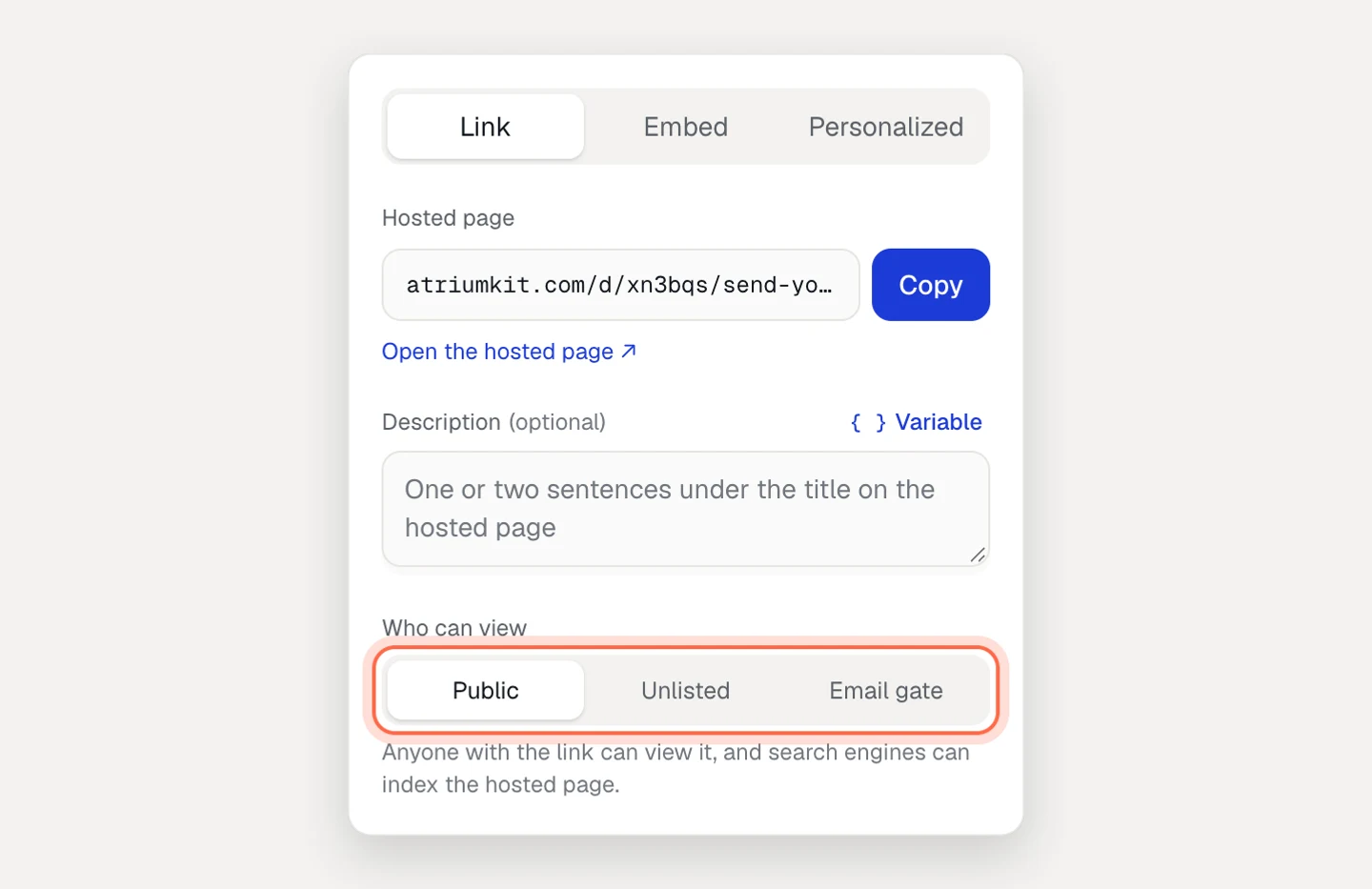
The change saves right away and applies to the live demo at once. You don’t need to publish again. Admins and editors can change it; viewers see the setting but can’t edit it.
What each option does
Public. Anyone with the link can view the demo, and search engines can index the hosted page and its guide. Pick it for demos you want people to find, like a product tour on your website.
Unlisted. Only people with the link can view it, and search engines are asked not to index it. Anyone you forward the link to can still open it, so treat it like a private link, not a password. Pick it for sales follow-ups and customer-specific demos.
Email gate. Viewers see “Enter your work email to view this demo” and a View demo button before the first step. The form says your brand will receive their email. Each email becomes a lead in Leads and goes to your integrations. The gate asks for a work email but accepts any valid address.
Email gate is on Pro and Team. If a workspace moves to Free, gated demos stop asking and open for anyone with the link.
A few details about the gate:
- Once a viewer submits, reloading the page doesn’t ask again during that browser session.
- The step-by-step guide asks too (“Enter your work email to read this guide”). One email unlocks both.
- A gated demo inside an email-gated collection doesn’t ask twice: the collection’s email unlocks it.
- To ask later instead of up front, keep the demo Public or Unlisted and turn on Ask for email before the last step, or add a lead form step. See Capture leads.
What search engines see
AtriumKit tells search engines not to index:
- Unlisted and email-gated demos, and their guides
- Every embed (the page you embed it on is indexed as usual)
- Every personalized link
Public demos and their guides can be indexed. Public guides also carry the data search engines use for step-by-step results. Collections have their own Who can view setting with the same three options.
“Asked not to index” relies on search engines following the request. It doesn’t stop someone who has the link. If a demo must stay behind a form, use Email gate.
Unpublish a demo
- Open the demo and click the Share tab.
- Scroll to the bottom of the panel and click Unpublish.
You’ll see “Unpublished. The link and embeds stop working until you publish again.” Here’s what changes:
- The hosted link and every embed show “This demo isn’t available”.
- The guide link and its Markdown answer that the guide isn’t available.
- Personalized links stop opening the demo.
- Collections hide the demo. A collection with no live demo left goes offline.
- The demo leaves your internal knowledge base.
Your draft, analytics, leads and version history stay. On the Free plan, unpublishing frees one of your 3 live demo slots.
To bring it back, click Publish. The demo keeps its address, so the same link, embed code and personalized links work again.
Turn off just the guide
If you want the demo online but not its step-by-step guide, turn off the Step-by-step guide switch on the Share tab. See Step-by-step guides.
Troubleshooting
- Email gate is greyed out. Your plan doesn’t include lead capture. The option shows an “Email gate: Pro” badge.
- The gate doesn’t appear. Check the access setting on the Share tab, then open the link in a private window. If you already unlocked it in your browser, it won’t ask again in that session.
- An unlisted demo shows up in search. It may have been indexed while it was Public. Search engines drop it once they see the new setting on their next visit.