When you publish a demo, AtriumKit also publishes it as a written guide: a page with a numbered instruction and a picture for each step. This article covers what’s in the guide, how to change its wording, and how to export it.
Guides are on every plan.
What the guide contains
- Your brand kit’s header, the demo’s title and an Open the interactive demo button.
- One numbered step per tooltip, with a picture of the screen and the clicked spot highlighted. Blurs and screen edits carry over.
- Sections from your chapter cards, with a Contents list when there are two or more.
- Your intro card at the top and your closing card at the end. Lead form steps stay out.
- Branching as paths: “If you chose …”, “go to step 5” and “This path ends here”.
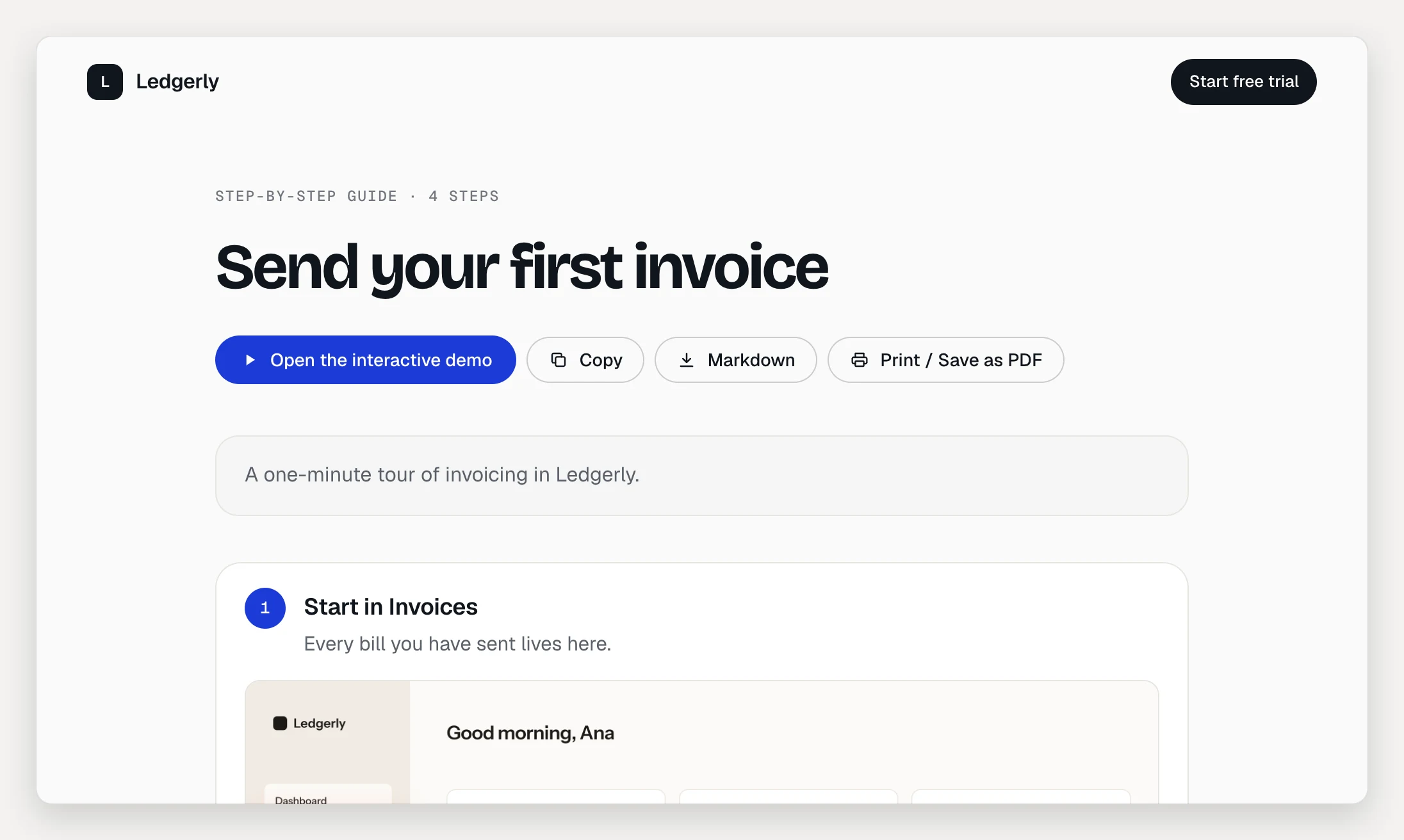
Clickable demos become guides too. The guide follows the recorded path, the same hotspots guided mode suggests on each screen.
Every time you publish the demo, the guide updates with it.
Find the guide link
- Open the demo and click the Share tab.
- In the Step-by-step guide card, click Copy to copy the link, or Open the guide ↗ to see it.
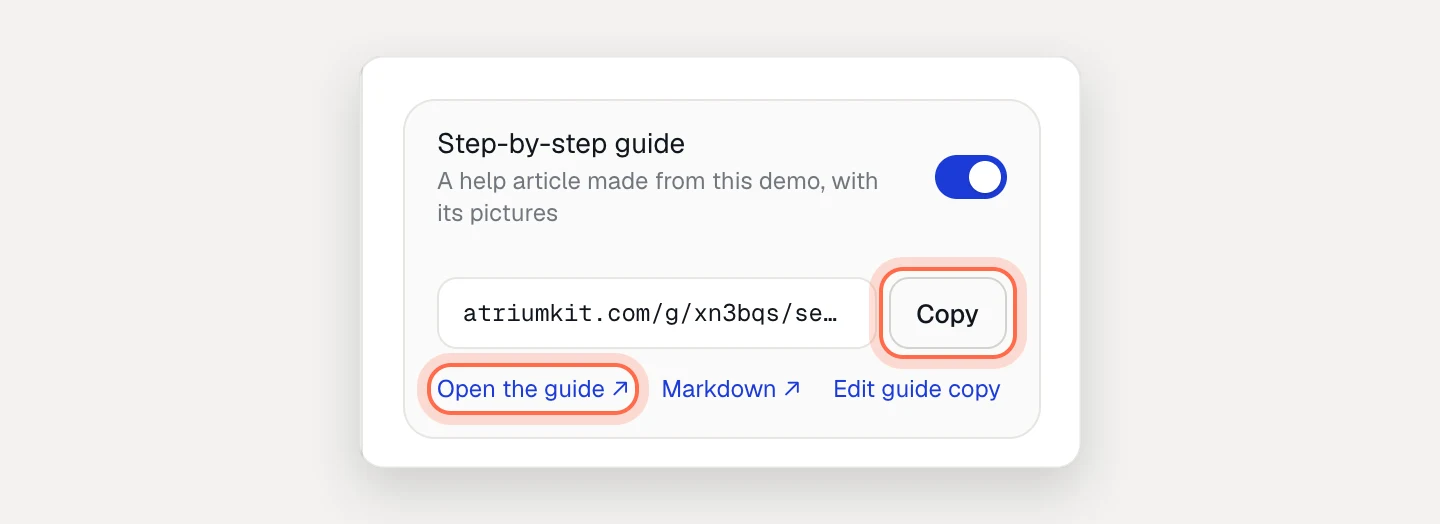
The guide’s address is the demo’s with /g/ in place of /d/. For a Markdown version of the same page, click Markdown ↗.
The guide follows the demo’s access. Public guides can be indexed by search engines. Unlisted guides are asked not to be. Email-gated guides show “Enter your work email to read this guide” first.
Turn the guide page off
On the Share tab, turn off Step-by-step guide. Or open the Guide tab and turn off Guide page. The guide’s link and Markdown then answer “not found”. The demo itself stays online. Turn the switch back on at any time.
Write wording just for the guide
Tooltips are often written for clicking along. Readers of a guide may need plainer instructions. You can give any step guide-only wording without changing the demo.
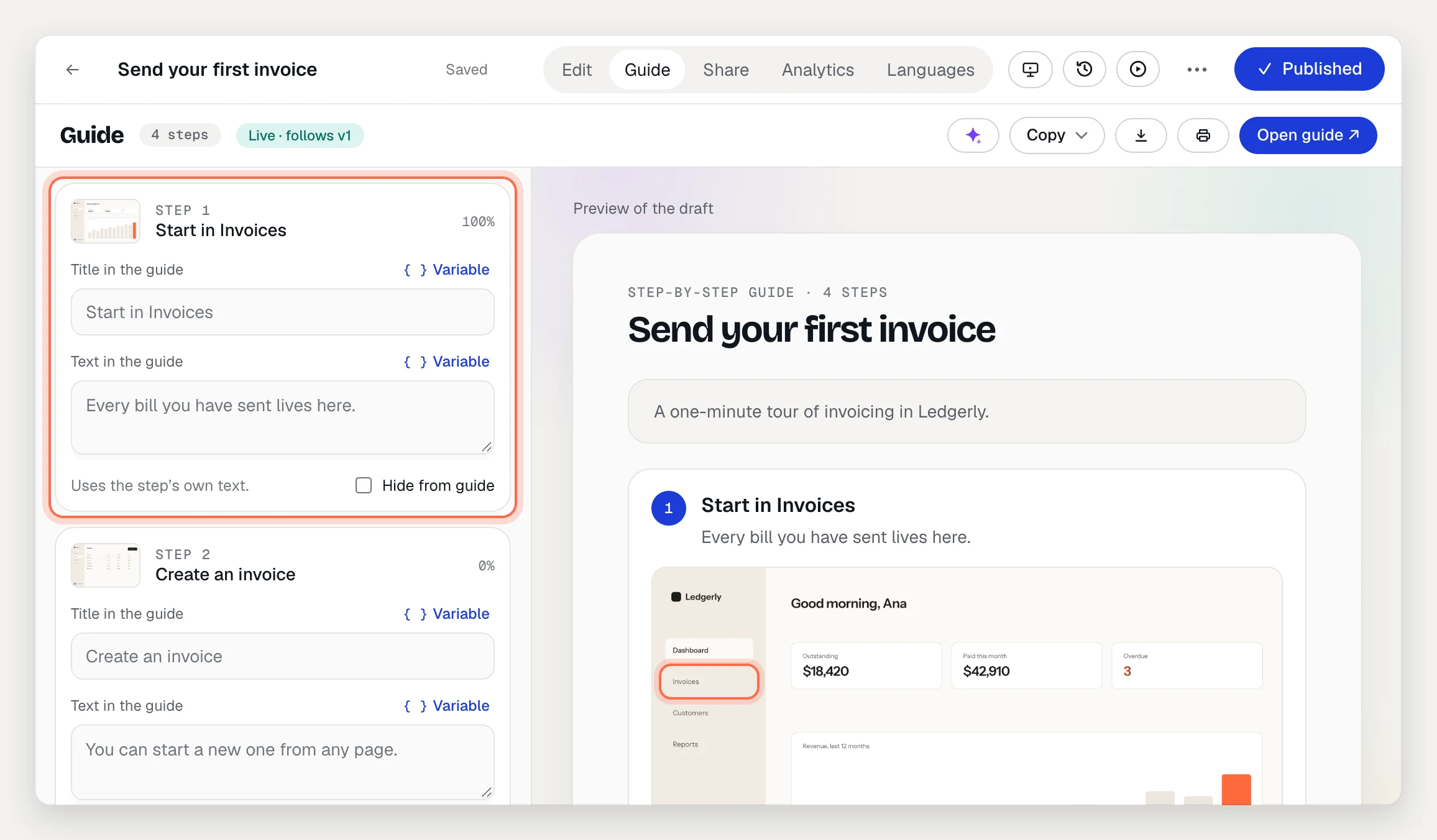
- Open the demo and click the Guide tab. Steps are on the left, a preview of the guide on the right.
- Under a step, type in Title in the guide and Text in the guide. Empty fields use the step’s own text, shown as the placeholder.
- Publish the demo to update the hosted guide.
To draft this wording for every step, click Write guide copy. Choose Every step or Only empty guide fields, add anything the AI should keep in mind, and click the Write button (it shows how many strings it will write). Review the suggestions, uncheck any you don’t want, then click Apply. It uses 1 AI credit per 20 strings.
Hide a step from the guide
Under the step, check Hide from guide. The step reads “Hidden from the guide. The demo still plays it.” Steps that nothing in the demo leads to are left out of the guide on their own.
Export the guide
From the Guide tab:
- Copy then Rich text copies the guide with its pictures. Paste it into Notion, Google Docs or Confluence.
- Copy then Markdown copies it as Markdown.
- Download .md saves a Markdown file.
- Print / PDF opens the published guide with your browser’s print dialog. Choose Save as PDF there to get a PDF.
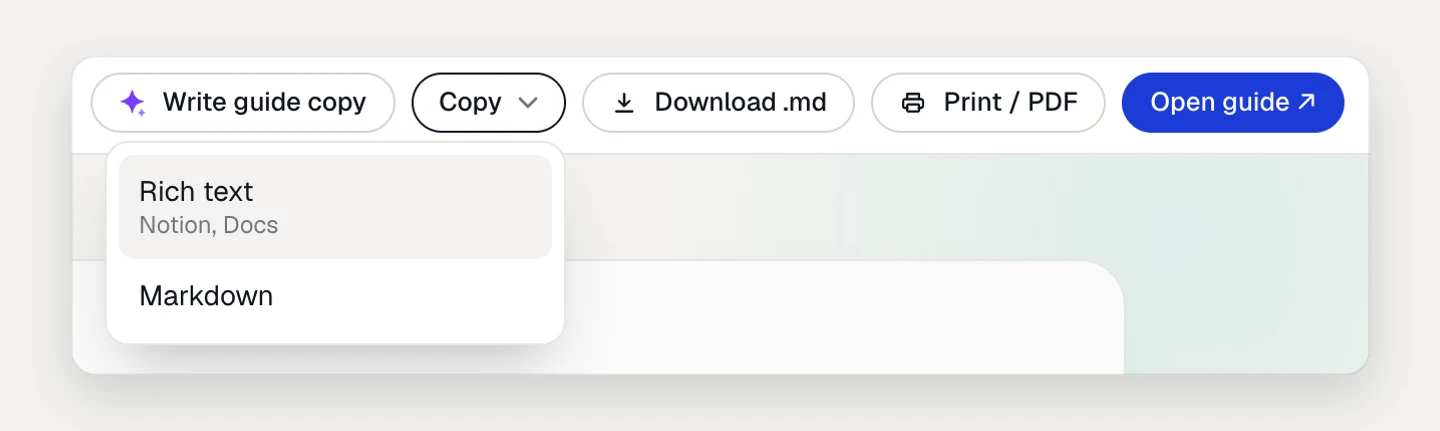
Copy and Download use the current draft, unpublished changes included. Print / PDF uses the published guide, so the demo must be live and the guide page on.
Readers have Copy, Print / Save as PDF and Markdown buttons on the guide page too.
Languages
If the demo has translations, its guide is published in every one of them, guide-only wording included. Readers get the language in a ?lang= link, then their browser’s language, then the demo’s own, and can switch with the language menu. In the Guide tab, the Language menu picks the language of the preview and of your exports.
AI translations are on Pro and Team. On Free, the guide is in the demo’s source language.
Personalization variables like {{company|your team}} show their fallback text in guides.
See who reads it
The demo’s Analytics tab has a Step-by-step guide panel. Guide readers and Unique readers are on every plan. Exports and Step reach are on Pro and Team. Reading a guide never counts as a demo view.
Troubleshooting
- Open guide is greyed out. Hover over it for the reason: the demo isn’t published yet, or the guide page is off.
- The guide shows old wording. The hosted guide follows the published demo. Publish your changes.
- A step is missing. Check for Hide from guide, and check that a step or choice leads to it.